

ContactOut and Evaboot support LinkedIn-based prospecting, but they serve different operational goals. ContactOut focuses on contact discovery, helping users extract verified email addresses and, in some cases, phone numbers directly from LinkedIn profiles via a browser extension. It is primarily used to convert individual profiles into actionable outreach opportunities.
Evaboot focuses on extracting and cleaning Sales Navigator data. It allows users to export LinkedIn Sales Navigator search results to clean, structured CSV files. Instead of manually verifying email addresses, Evaboot streamlines the workflow by removing duplicates, cleaning fields, and preparing lead lists for CRM imports or outbound campaigns.
Key Takeaways
ContactOut is the premier choice for Individual Contact Discovery, especially for recruitment and specialized sales roles. It is a "search-first" platform that excels at finding personal email addresses and direct-dial phone numbers that other databases often miss.
Evaboot functions as a high-performance Sales Navigator Workflow Engine. Unlike a simple search tool, it adds value by "cleaning" the chaos of LinkedIn data. It is the best option for teams that build massive lead lists in Sales Navigator and need to export them into a CRM-ready format.
FullEnrich offers a strategic Waterfall Enrichment alternative for teams that can’t afford to settle for "no data found." Instead of relying on a single proprietary database like ContactOut, we pull from over 20+ premium sources simultaneously to find and triple-verify mobile numbers.
ContactOut vs Evaboot: Comprehensive Side-by-Side Comparison
Below is a detailed comparison using the same core attributes applied in previous blogs. This table highlights the structural, functional, and operational differences between ContactOut and Evaboot.
Attributes | ContactOut | Evaboot |
|---|---|---|
Best For | Finding verified emails and phone numbers from LinkedIn profiles | Exporting and cleaning LinkedIn Sales Navigator lead searches |
Core Focus | Contact discovery and email matching | Sales Navigator list extraction and data cleaning |
Primary Users | SDRs, recruiters, sales reps, small outbound teams | Sales teams, agencies, and growth teams using Sales Navigator |
Data Source | LinkedIn profile matching + proprietary contact databases | User’s own LinkedIn Sales Navigator search results |
Automation Level | Low to moderate; profile-level extraction via browser extension | Moderate; bulk export, automatic cleaning, deduplication |
Pricing Model | Starts around $49/month | Starts around $8/month |
Integration | CSV export; limited native CRM sync | CSV export optimized for CRM import |
Data Compliance | Must comply with LinkedIn terms, GDPR, and CAN-SPAM depending on usage | Must comply with LinkedIn Sales Navigator terms and regional data regulations |
Support | Email support and help centre documentation | Email support and documentation resources |
What is ContactOut?
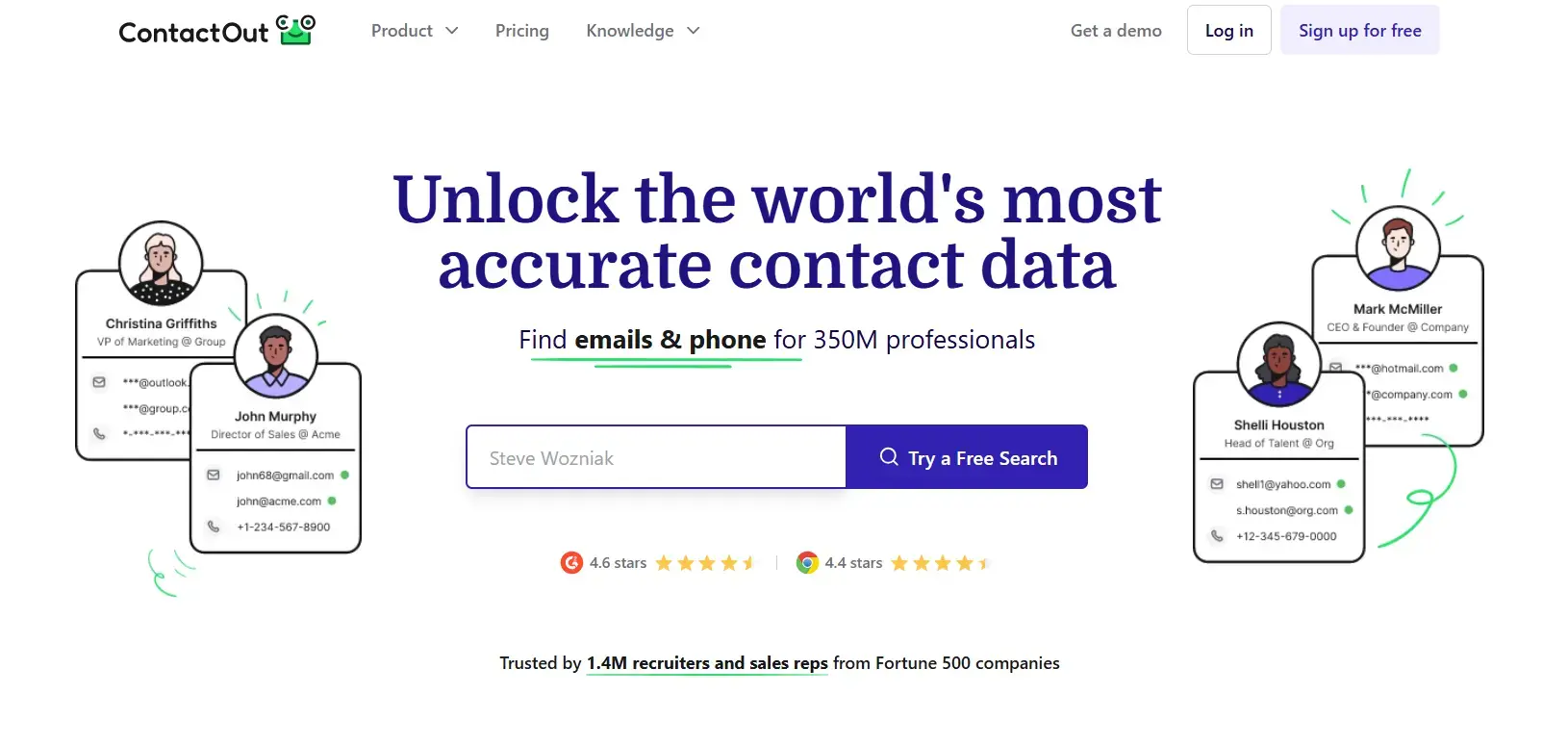
ContactOut is a LinkedIn contact finder tool that helps you extract professional email addresses and, in some cases, phone numbers from LinkedIn profiles. It operates mainly as a Chrome browser extension, allowing you to view contact details while browsing profiles or Sales Navigator results.
ContactOut’s primary function is contact discovery. You identify a prospect on LinkedIn, and the tool attempts to match that profile with a verified email address.
What is Evaboot?
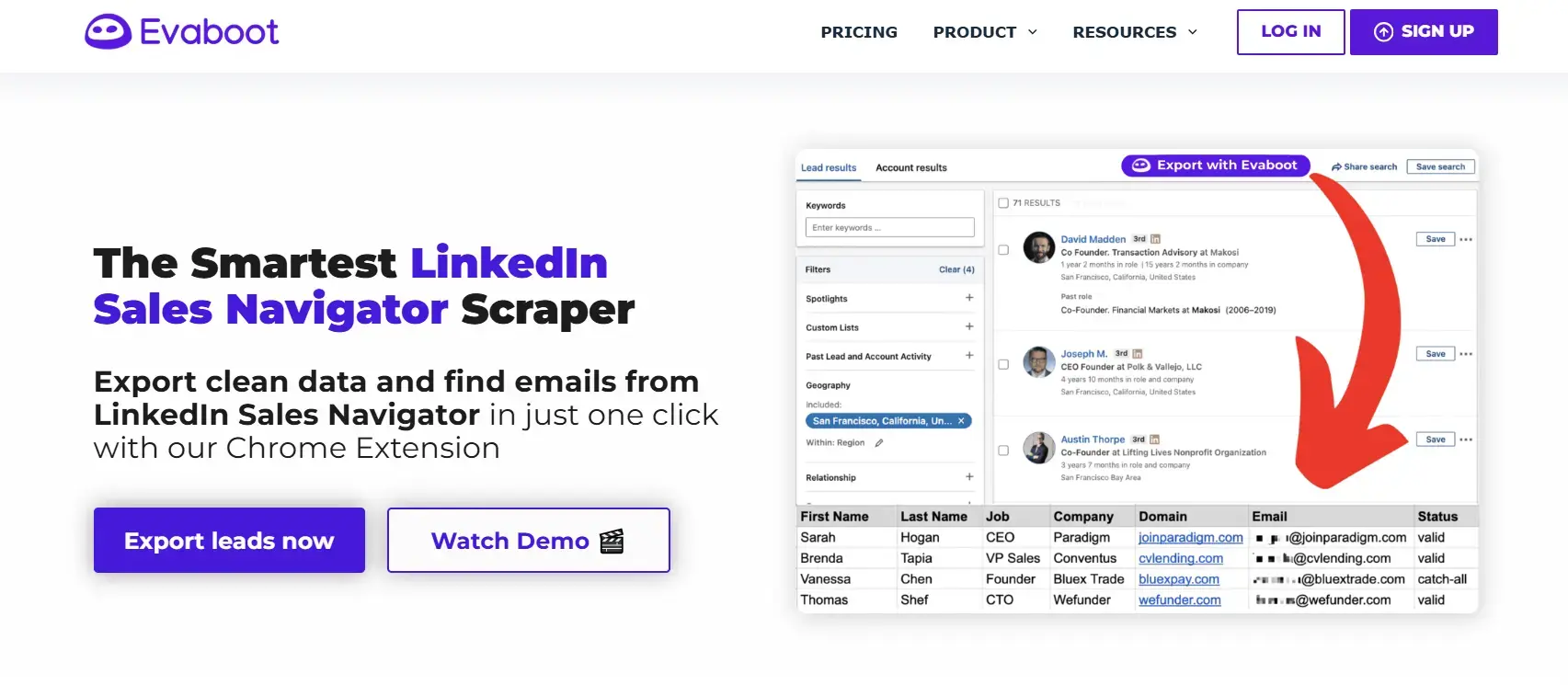
Evaboot is a LinkedIn Sales Navigator extraction and data-cleaning tool that exports structured lead lists from the Platform. It connects to your Sales Navigator searches and generates a cleaned CSV file with organized fields, corrected formatting, and duplicate removal.
Evaboot’s primary function is list preparation and workflow optimization. Instead of requiring independent discovery of new contact data, it improves the quality and usability of existing Sales Navigator results.
What Services Are Offered by ContactOut vs Evaboot?
ContactOut and Evaboot provide different services within the LinkedIn prospecting ecosystem. ContactOut focuses on discovering contact data, while Evaboot focuses on extracting Sales Navigator data and cleaning lists for structured outreach workflows.
Services Offered by ContactOut
ContactOut operates as a specialized "Contact Intelligence" service. While many platforms try to be full-scale CRMs, ContactOut focuses its service model on high-speed retrieval of elusive personal and professional data that standard business directories often miss.
Triple-Verified Contact Retrieval: The core service of ContactOut is providing verified personal and professional email addresses and direct-dial phone numbers. They use a proprietary "Triple-Verification" process that checks data against multiple live sources in real-time.
Talent and Candidate Sourcing: Specifically customized for recruiters, this service allows for the discovery of "passive" candidates. It provides the infrastructure to find the personal contact details of high-tier talent who are not actively listing their information on job boards.
Bulk Data Enrichment: For companies with existing but "stale" databases, ContactOut provides a service to refresh and complete those records. You can upload a list of LinkedIn URLs or names, and its engine will automatically append missing email addresses and phone numbers.
Search Portal Intelligence: Beyond a simple lookup tool, their search portal acts as a stand-alone database service. It allows users to query around 350 million professionals using advanced filters like years of experience, specific skills, and company growth signals.
Services Offered by Evaboot
Evaboot provides a "Data Clean-up and Extraction" service specifically for the LinkedIn Sales Navigator ecosystem. Their service model is built around the idea that LinkedIn’s own search results are often "noisy" or incorrect, and they act as the filter that turns that raw data into a usable business list.
Automated Lead Extraction: Evaboot’s primary service is the bulk export of leads and accounts from Sales Navigator into a structured CSV or Excel format. While LinkedIn limits how you can take your data with you, Evaboot provides the bridge to move thousands of records into your internal systems in minutes.
Algorithmic Data Cleaning: One of their standout services is the automatic "scrubbing" of LinkedIn data. They provide a service that cleans up messy naming conventions (like removing emojis or "Inc." from company names) and standardizes titles, ensuring your cold emails don't look like they were written by a bot.
Lead Qualification Filtering: Evaboot provides a unique "Mismatched Lead" detection service. LinkedIn's search often includes people who don't actually match your filters (around 31% on average). Evaboot’s algorithm reviews every lead in your export and flags those that don't fit your criteria.
LinkedIn-to-Email Enrichment: As an add-on service, Evaboot finds and verifies the professional email addresses of the leads you export. They don't just guess patterns; they use a verification service to ensure the email is deliverable before it ever hits your spreadsheet.
What are the Key Features of ContactOut vs Evaboot
ContactOut and Evaboot differ in feature architecture. ContactOut focuses on retrieving contacts from LinkedIn profiles, while Evaboot focuses on Sales Navigator export automation and data structuring.
Key Features of ContactOut
ContactOut’s features are built for the "hunter" who needs a direct line to a decision-maker. While their services focus on the high-level data search, these specific features are the technical levers that make individual prospecting faster and more accurate.
The AI Personalizer: This is a standout feature that uses a generative engine to write hyper-personalized outreach. It doesn't just pull a name; it scans the prospect's recent LinkedIn activity and company news to draft an email that looks like it took 20 minutes to research, and it quadruple-checks that the tone fits the recipient's industry.
The "One-Click" CRM Sync: This technical bridge allows you to skip the CSV export entirely. When you’re looking at a profile, the extension identifies if that lead already exists in your Salesforce or HubSpot. If not, it creates a new record and maps upto 31 data points, including phone numbers and tech stacks.
Email Sequence Builder: Unlike basic lookup tools, ContactOut includes a built-in automation engine. You can move a found contact directly into a multi-stage email sequence. It tracks opens, clicks, and replies.
Key Features of Evaboot
Evaboot’s features are the "clean-up crew" for your LinkedIn Sales Navigator data. They are designed for teams that pull massive lists and need to ensure the data is 100% accurate and ready for a cold email engine, with no manual fixes.
Bulk Export Engine (Up to 2,500 leads): While LinkedIn makes it hard to take your data with you, Evaboot offers high-speed data extraction. In a single action, it can pull up to 2,500 leads from a Sales Navigator search, processing them in the background while you continue to work on other tasks.
Automatic Data Scrubbing: This feature acts as an "auto-corrector" for your lead lists. It automatically removes emojis, weird capitalizations, and legal suffixes (like "LLC" or "Inc.") from company names.
Native Email Verification Layer: Every email found by Evaboot goes through a technical "handshake" with the mail server. It doesn't just guess patterns; it verifies that the inbox actually exists.
How Accurate Is the Data from ContactOut vs Evaboot?
Data accuracy determines bounce rates, CRM hygiene, and campaign performance. ContactOut and Evaboot approach accuracy differently because they operate on different data layers.
ContactOut Data Accuracy
ContactOut is often considered the gold standard for individual contact retrieval, particularly when you are hunting for personal email addresses and direct mobile lines that are rarely found in standard business directories. Their accuracy is driven by a massive internal database of over 800 million profiles and a real-time "triple-verification" process that checks data against live signals as you browse. While they maintain a 4.4/5 rating on G2, with users frequently praising the platform's high "hit rate" for elusive decision-makers, it’s important to note that no database is perfect. In certain niche industries or outside North America, accuracy can vary, and you may occasionally encounter "stale" emails for people who have recently changed roles.
Also Read: 10 Best ContactOut Alternatives & Competitors
Evaboot Data Accuracy
Evaboot approaches accuracy from a different angle by being the "cleaning crew" for LinkedIn Sales Navigator. Their primary focus isn't just finding any data, but ensuring that the data you export actually matches your search criteria. Their proprietary algorithm checks every lead against your original filters, identifying up to 30% of mistakenly data results that LinkedIn’s own search engine mistakenly includes. Users on G2 currently rate Evaboot at 4.6/5 stars, specifically highlighting the platform's ability to clean up messy naming conventions and verify professional emails before they hit your spreadsheet.
Which Platform Offers the Most Intuitive User Experience?
User experience determines how quickly you can move from LinkedIn search to outreach execution. ContactOut and Evaboot offer different interaction models because they solve different workflow stages.
ContactOut User Experience
ContactOut delivers a browser-extension-based experience. You install the Chrome extension, visit a LinkedIn profile, and instantly see matched emails or phone numbers.
The workflow is simple: You open a profile → ContactOut displays contact data → You export or copy the information. It requires minimal setup and no complex configuration. SDRs and recruiters can start prospecting within minutes. However, it is optimized for profile-by-profile usage, which may slow down high-volume workflows.
Evaboot User Experience
Evaboot provides a Sales Navigator-connected export workflow. You run a search inside LinkedIn Sales Navigator, connect Evaboot, and generate a cleaned CSV file.The workflow is structured: You build a filtered search → Evaboot extracts results → The system cleans and formats the data → You download a CRM-ready file.
It requires access to Sales Navigator but minimal technical expertise. It reduces manual spreadsheet cleaning and duplicate removal. Evaboot is well-suited for teams that prioritize bulk list preparation and operational efficiency over individual contact lookups.
Pricing and Plans
Pricing affects the accessibility, scalability, and ROI of LinkedIn-based prospecting tools. ContactOut and Evaboot use credit-based subscription models, but their pricing reflects their different focus: individual contact discovery vs bulk Sales Navigator export and cleaning.
ContactOut Pricing Plans
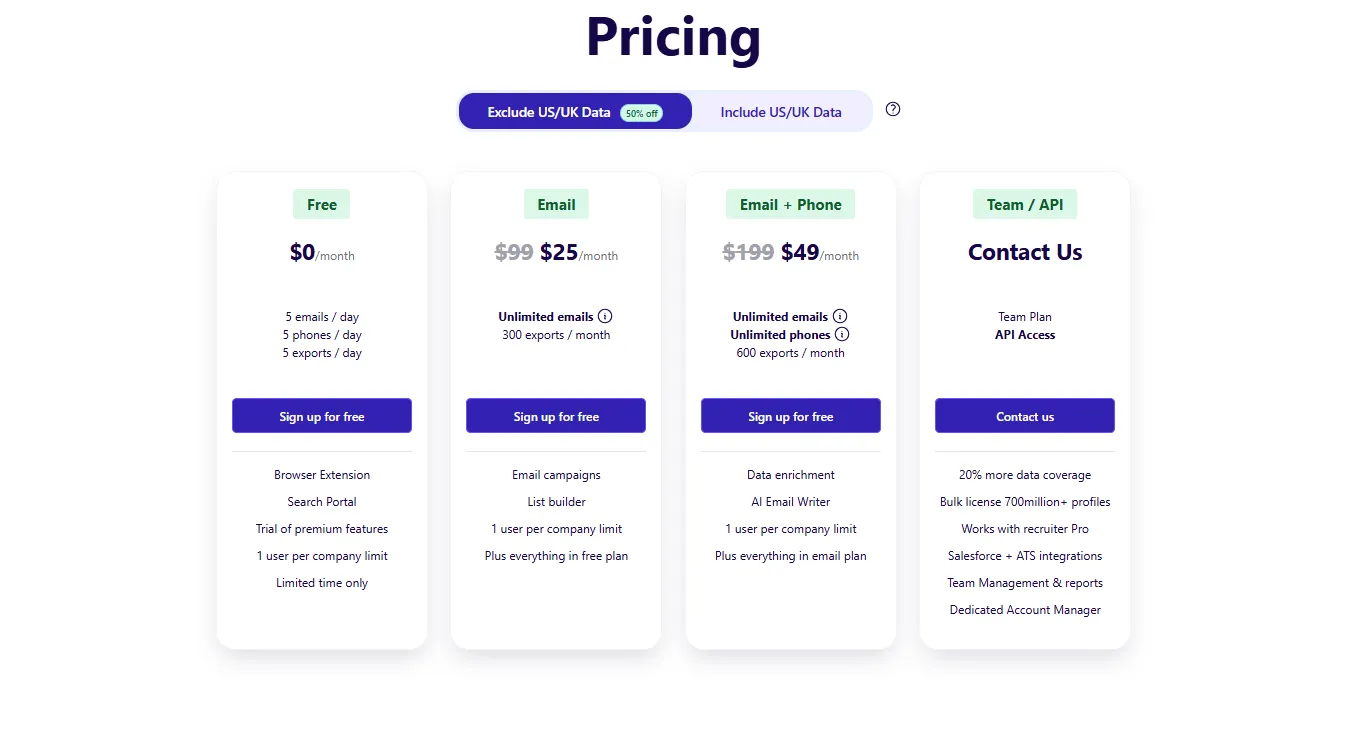
ContactOut is designed for teams that live in their browser and need to reveal contact details while browsing LinkedIn. They offer a range of plans that scale based on how much "phone hunting" you need to do and whether you are working solo or as a team.
Free Plan ($0): A great way to test the waters. You get 5 emails, 5 phone numbers, and 5 exports every single day. It resets daily, making it perfect for light, occasional prospecting.
Email Plan ($49/month): This is the entry-level paid tier for those who don't need phone numbers. It gives you unlimited email reveals and allows for 300 exports per month.
Email + Phone Plan ($99/month): This is the most popular choice for SDRs. It unlocks unlimited emails and phone numbers, with an increased export limit of 600 per month. This plan also includes the AI Email Writer and Data Enrichment features to help you speed up your outreach.
Team & API Plan (Custom Pricing): For larger organizations, this plan offers 20% better data coverage and access to a massive database of over 700 million profiles. It includes dedicated account management and deep integrations with enterprise CRMs and ATS platforms.
Also Read: ContactOut Pricing and Plans (2025): Is It Worth It?
Evaboot Pricing Plans
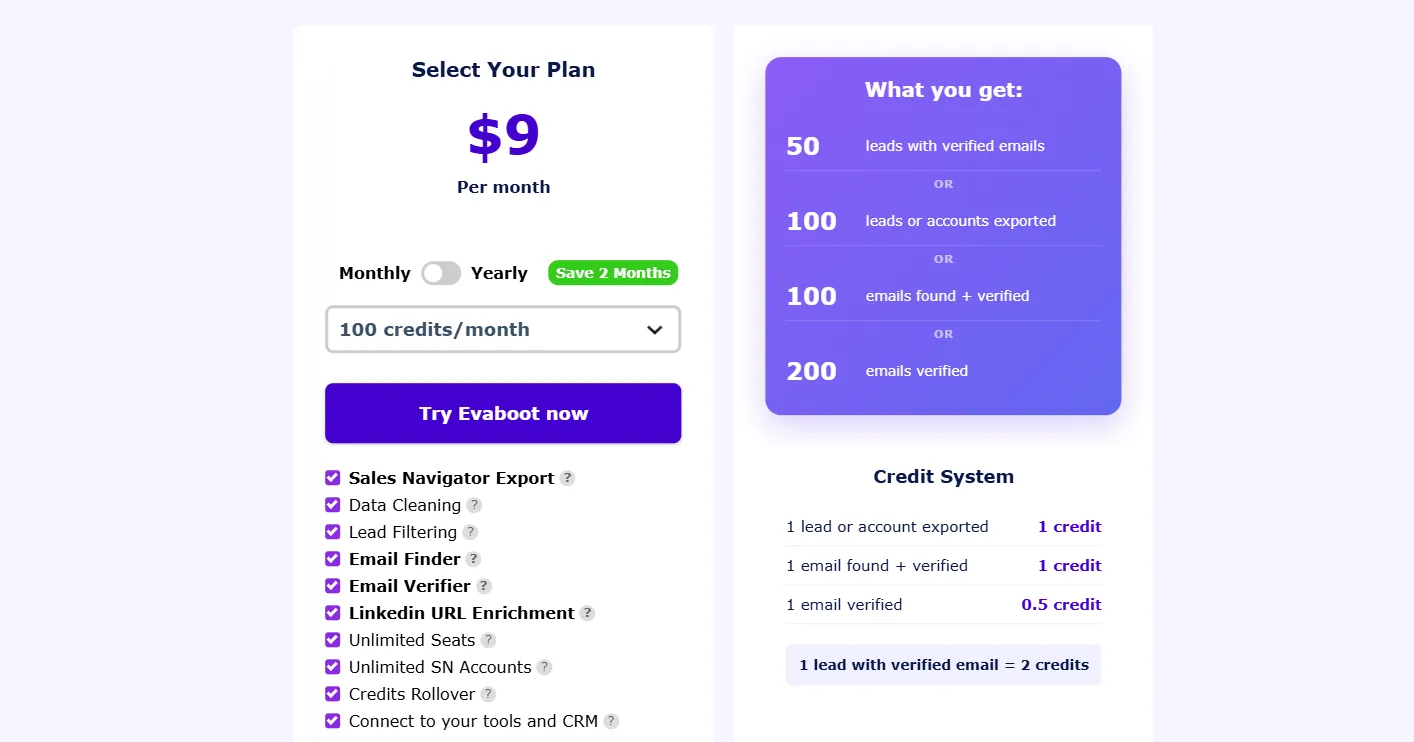
Evaboot doesn't care about "seats"; they care about volume. Their pricing is based on a credit system in which you pay for what you extract. One credit typically equals either one exported lead or one email found and verified.
Pricing starts at $8 per month (billed annually) for 100 credits, which is perfect for small, one-off projects. As your needs grow, the price per credit drops significantly. For high-volume teams, the plans scale up to 200,000 credits per month, costing approximately $1,416 per month when billed annually.
Also Read: Evaboot Pricing (2025): Is it worth it?
Who Should Use ContactOut vs. Evaboot?
At the end of the day, these tools are built for two completely different workflows. One is your best bet for finding a specific person's "unlisted" phone number, while the other is an industrial-strength cleaner for massive LinkedIn lists.
Who Should Use ContactOut?
ContactOut is the primary choice for the "hunter", the recruiter or salesperson who finds a perfect profile and needs to start a conversation immediately. It focuses on the individual rather than the list.
Recruiters and Headhunters: Arguably the best tool for finding "passive" talent. When you find a candidate who isn’t looking for a job, you need their personal email or mobile number to reach them privately, and ContactOut excels at finding those non-corporate details.
High-Touch Sales Development: If your strategy is to pick 10 high-value prospects a day and give them a call, ContactOut’s browser extension lets you "reveal" their direct line in one click without ever leaving LinkedIn.
Small Teams and Solo Founders: Because it offers a solid free tier and a very low barrier to entry, it's perfect for teams without a complex "ops" setup who just need data that works.
Who Should Use Evaboot?
Evaboot is designed for the "builder", the growth marketer or lead gen specialist who works with thousands of leads at once. It’s not about finding one person; it’s about turning a messy search into a perfect spreadsheet.
Sales Navigator Power Users: If you’ve ever been frustrated by the 30% of "junk" results LinkedIn throws into your searches, Evaboot is essential. It manually flags leads that don't match your filters, so you don't waste time on them.
Lead Generation Agencies: When you are responsible for the sender reputation of multiple clients, you can't afford bounces. Evaboot’s "clean-as-you-export" model ensures your data is formatted correctly and verified before it hits your email tool.
Data and RevOps Managers: Ideal for anyone who needs to pull 2,500+ leads at a time and wants them delivered in a clean CSV with all the emojis, special characters, and "LLC" suffixes already scrubbed out.
Pros and Cons of ContactOut vs Evaboot
Understanding the strengths and limitations of each tool helps teams align capabilities with prospecting goals. ContactOut focuses on individual contact discovery, while Evaboot focuses on bulk Sales Navigator extraction and data cleaning.
ContactOut Pros and Cons
ContactOut works best for teams that need fast, accurate contact discovery at the individual profile level.
Pros
Verified email and phone extraction: Confidence-scored matches for LinkedIn profiles.
Easy to use: Chrome extension requires minimal setup.
Profile-by-profile speed: Quickly view contacts while browsing LinkedIn.
Recruiter-friendly tools: Supports candidate sourcing and outreach workflows.
Export functionality: Allows CSV export of discovered contacts.
Cons
Limited bulk workflow: Profile-by-profile extraction is not ideal for large lists.
Dependent on LinkedIn access: Requires LinkedIn or Sales Navigator login.
Evaboot Pros and Cons
Evaboot works best for teams that need clean, structured, and CRM-ready lead lists for large-scale outbound campaigns.
Pros
Bulk export and cleaning: Removes duplicates and automatically fixes formatting issues.
CRM-ready CSVs: Streamlines import into Salesforce, HubSpot, or other CRMs.
Field normalization: Standardizes job titles, company names, and locations.
Scalable for large lists: Handles high-volume Sales Navigator searches efficiently.
Automation-friendly: Reduces manual spreadsheet work.
Cons
Requires Sales Navigator: Cannot function without a LinkedIn Sales Navigator account.
Less useful for single-profile prospecting: Optimized for bulk workflows rather than individual outreach.
Which One Is a Better Option?
If your priority is finding verified emails and occasional phone numbers from LinkedIn profiles, ContactOut is the better option. It allows SDRs, recruiters, and small outbound teams to quickly convert LinkedIn profiles into actionable contact records without complex setup.
If your priority is exporting, cleaning, and structuring large LinkedIn Sales Navigator lead lists, Evaboot is the better choice. It enables sales teams, agencies, and growth teams to efficiently prepare CRM-ready lists, remove duplicates, and standardize data for outbound campaigns.
For teams seeking both accurate contact discovery and scalable workflow management, FullEnrich offers a practical alternative. It provides multi-provider verified enrichment, real-time validation, and flexible bulk processing
Frequently Asked Questions (FAQs)
Which platform is better for finding contact information for individual LinkedIn profiles?
ContactOut is better at finding verified email addresses and phone numbers directly from LinkedIn profiles. Evaboot focuses on bulk list extraction, not individual profile contact discovery.
Which platform is better for cleaning and exporting bulk LinkedIn Sales Navigator lists?
Evaboot excels at exporting, cleaning, and structuring lead lists from Sales Navigator. ContactOut does not handle bulk exports or list cleaning.
Can these platforms integrate with CRM systems?
Evaboot exports structured, CRM-ready CSVs for seamless import. ContactOut supports CSV exports but offers limited native CRM integrations.
Do they verify emails?
ContactOut provides confidence-scored, verified email addresses for LinkedIn profiles. Evaboot does not independently verify emails; it relies on data from Sales Navigator.
Are these platforms suitable for small teams or startups?
ContactOut is ideal for small SDR or recruiting teams needing fast, profile-level contact discovery. Evaboot is better for teams managing large Sales Navigator lead lists.
Is there a flexible alternative combining both functionalities?
FullEnrich provides multi-provider, verified enrichment, bulk processing, and real-time validation, delivering accurate contact discovery and scalable workflows without relying solely on LinkedIn extraction.
Which platform delivers faster results for outbound campaigns?
ContactOut provides instant access to individual emails for immediate outreach. Evaboot accelerates bulk campaign readiness by cleaning and structuring large lead lists.
Which platform is better for recruiters?
ContactOut is ideal for recruiters who need direct email addresses and phone numbers. Evaboot is less useful for individual candidate outreach but helps efficiently prepare bulk lists of leads or candidates.
Which platform is more cost-effective for different team sizes?
ContactOut is cost-effective for small teams focusing on individual outreach. Evaboot scales better for agencies and larger teams managing high-volume lead lists. FullEnrich provides a flexible alternative combining cost-effectiveness, accuracy, and bulk processing.



Other Articles
Cost Per Opportunity (CPO): A Comprehensive Guide for Businesses
Discover how Cost Per Opportunity (CPO) acts as a key performance indicator in business strategy, offering insights into marketing and sales effectiveness.
Cost Per Sale Uncovered: Efficiency, Calculation, and Optimization in Digital Advertising
Explore Cost Per Sale (CPS) in digital advertising, its calculation and optimization for efficient ad strategies and increased profitability.
Customer Segmentation: Essential Guide for Effective Business Strategies
Discover how Customer Segmentation can drive your business strategy. Learn key concepts, benefits, and practical application tips.